

In this article
Home Lab to Client-Ready: Drawing the Line Between Tinkering and Production Support
The difference between a home lab that is a fun toy and one that is a client-ready asset is not hardware. It is discipline.
I have seen too many homelabs that look impressive on paper—high-end servers, complex networking gear, and a sprawling Kubernetes cluster—yet crumble under the slightest pressure. The failure mode is rarely technical; it is procedural. It is the “it works on my machine” syndrome, where the infrastructure exists only in the memory of the person who built it. When that person gets sick, or moves on, or simply forgets why they configured that specific iptables rule three years ago, the lab stops being a production environment and becomes a fragile artifact.
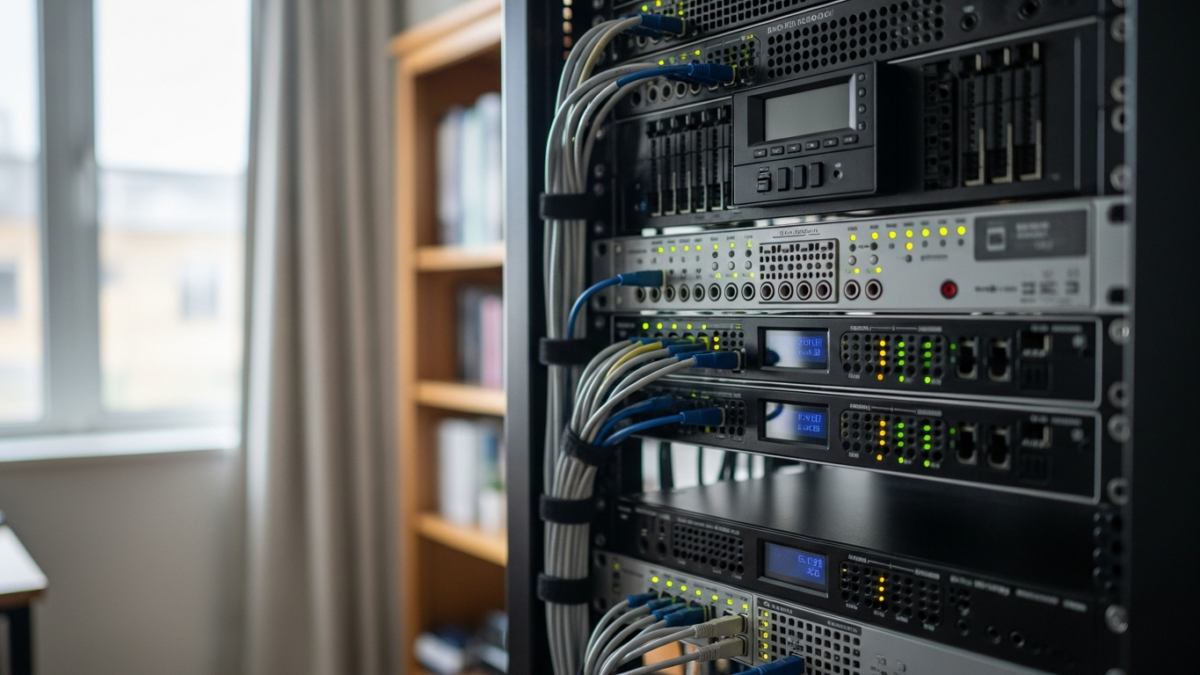
To bridge the gap between tinkering and production support, we must stop treating our homelabs as sandboxes for experimentation and start treating them as miniature datacenters. This requires a shift in mindset: from manual configuration to codified infrastructure, from ad-hoc access to zero-trust security, and from implicit knowledge to explicit documentation.
The Tinkering Trap: Why Home Labs Often Fail in Production
The primary trap of the homelab is comfort. In a tinkering phase, you SSH into a box, edit a config file, and restart a service. It is fast, intuitive, and immediate. But this approach does not scale. It does not survive a reboot if the power fails during a write. It does not allow for peer review. It does not provide visibility into what is actually happening.
When you move toward a client-ready setup, the hidden cost of undocumented configurations becomes apparent. Manual fixes accumulate like technical debt. You might have a script that works today, but without version control, you cannot reproduce the environment if something breaks tomorrow. Monitoring and security are often afterthoughts in the tinkering phase because they feel like overhead. In production, they are the foundation. If you cannot see the health of your nodes or who is accessing your resources, you are not running a lab; you are running a risk.
Infrastructure as Code: Codifying Your Lab
The first step to production readiness is removing the human from the provisioning loop. We need to move away from manually creating VMs and toward automated, scripted provisioning. This is where Infrastructure as Code (IaC) becomes non-negotiable.
Tools like Terraform and Ansible allow us to codify our APIs and automate system deployment. Terraform manages the lifecycle of resources, ensuring that the network, storage, and compute layers are defined in code. Ansible handles the configuration management, ensuring that every node is in the desired state. This predictability is critical. If I destroy my cluster and rebuild it from scratch, I want it to be identical to the previous version, down to the last package installed.
We also need to consider image consistency. Packer plays a vital role here by creating identical machine images. This ensures that the base OS and software layers are standardized across all deployments. The tradeoff here is initial complexity. Writing the code to build your infrastructure takes longer than clicking through a GUI. However, the return on investment is immediate in the form of reproducibility. If a node fails, you do not troubleshoot the hardware; you replace the instance with a known-good image.
For a deeper dive into the tools that make this possible, including the specific IaC stacks required for enterprise-grade homelabs, see the curated resources on GitHub.
GitOps and Deployment: Automating the Workflow
Once the infrastructure is codified, the next layer is deployment. This is where GitOps changes the game. Traditional deployment involves pushing changes to servers. GitOps flips this model: the Git repository becomes the source of truth, and the cluster must match that state.
Argo CD is the tool that enables this. It watches a Git repository and automatically corrects any drift in the Kubernetes cluster to match the desired state. If someone manually changes a deployment in the cluster, Argo CD detects the drift and reverts it. This is not just a convenience; it is a security and stability feature. It prevents configuration drift, which is a leading cause of production incidents.
The implementation advice here is strict: never make manual changes to the live cluster. All changes must go through the Git repository. This creates an audit trail. It allows for peer review via pull requests. It enables rollback to any previous state. The benefit for both home labs and client-ready environments is consistency. You are no longer managing a cluster; you are managing a codebase.
For a complete series on building this pipeline, including CI/CD integration and security hardening, refer to this guide on DevOps pipelines.
Security and Access: Zero Trust for the Home Lab
Security in a homelab is often an afterthought, but in a client-ready environment, it is the first line of defense. The traditional model of a VPN is breaking down. Instead, we should adopt a zero-trust architecture.
TwinGate provides a free zero-trust solution for up to five users, focusing on identity-driven access with multi-factor authentication. This means that access is granted based on who you are and what device you are using, not just your IP address. This is critical for remote access. You do not want to expose your homelab to the internet via a simple port forward. You want identity verification at every step.
For networking, Netbird is a production-ready, open-source mesh network built on WireGuard. It functions as a reverse proxy, DNS server, and firewall with fine-grained policy controls. It replaces the need for complex reverse proxy setups and manual DNS management. Netbird handles TLS certificate management automatically, which is a common pain point in homelabs. The tradeoff is learning the mesh network paradigm, but the result is a secure, encrypted tunnel between all your devices without exposing ports to the public internet.
Observability and Documentation: The Unsung Heroes
You cannot manage what you cannot measure, and you cannot maintain what you do not document. These two pillars are often neglected in homelabs but are essential for production support.
Monitoring needs to be rapid and comprehensive. Netdata offers a Home Lab license and allows for the rapid deployment of monitoring solutions that are typically time-consuming to configure in open-source alternatives. It provides real-time visibility into CPU, memory, disk, and network usage. If you are running a client-ready lab, you need to know when a service is degrading before the user does. Netdata gives you that visibility with minimal configuration overhead.
Documentation is equally critical. Knowledge loss is the silent killer of homelabs. Tools like Netbox and PHP IPAM are essential for tracking IP addresses, VLANs, and MAC addresses. They provide a single source of truth for your network topology. Without them, you are guessing.
For configuration details, fixes, and architectural decisions, use wiki.js or Bookstack to create a “second brain” for your lab. This is not just for you; it is for anyone who might take over your lab. If you cannot explain why a service is configured a certain way, it is not production-ready.
For more tips on homelab documentation and tools, check out this resource on documentation tricks.
Bridging the Gap: When is Your Lab Client-Ready?
So, how do you know when your lab is ready for clients? It is not about the hardware. It is about the process.
Here is a concrete decision framework for production readiness:
- Automation: Can you rebuild your entire lab from scratch using only code? If the answer is no, you are not ready.
- Documentation: Is every service, IP address, and configuration change documented in Netbox or your wiki? If a colleague cannot onboard without your help, you are not ready.
- Security: Is access controlled via zero-trust principles? Are TLS certificates managed automatically? Is the network segmented? If you are using default passwords or open ports, you are not ready.
- Monitoring: Do you have real-time visibility into all services? Do you have alerts for critical failures? If you are relying on user reports to know something is broken, you are not ready.
Homelab skills translate directly to enterprise DevOps roles, but only if you apply enterprise-grade standards to your lab. The tools you use—Terraform, Argo CD, Netdata, Netbird—are the same tools used in large-scale datacenters. The difference is the scale, not the complexity.
I would not ship a client-ready service from a lab that lacks GitOps. The risk of configuration drift is too high. I would not accept a homelab that lacks documentation. The risk of knowledge loss is too high. And I would not trust a homelab that lacks zero-trust security. The risk of compromise is too high.
Maintaining a lab that is both fun to tinker with and robust enough for real work requires a balance. You can still experiment. You can still break things. But you must do so within a framework that ensures recovery and learning. The goal is not to eliminate the fun of tinkering, but to channel it into building systems that are resilient, secure, and repeatable.
No comments yet