


In this article
When a small business commissions an n8n workflow to extract information from customer requests, it faces a practical decision: accept a schema generated from example JSON, or deliberately define the fields, meanings, and optionality the workflow needs.
A tidy example can hide this decision. It may include a phone number, preferred date, and budget even though customers will not always provide all three. In n8n, generating a schema from an example uses the property names and types, ignores the sample values, and treats every listed field as mandatory (n8n Information Extractor documentation).
This explanation is based on the cited n8n documentation. The scenarios and configuration examples are hypothetical and untested.
Planning worksheet, part 1: Identify what reaches the extractor
Start with the input, not the desired output. A customer request might arrive as form text, a chat message, an email body, a PDF attachment, or a spreadsheet.
The Information Extractor operates on input text. Its Text parameter usually contains an expression that references a field from an earlier node, such as {{ $json.chatInput }} or {{ $json.text }} after PDF extraction (n8n Information Extractor documentation).
A binary attachment may need a separate conversion step. The Extract From File node converts supported binary-format files into JSON for downstream use. Documented operations cover CSV, HTML, JSON, ICS, ODS, PDF, RTF, text, XLS, and XLSX files. The node expects the binary file in a named input field; the documented default is data (n8n Extract From File documentation).
Before designing a schema, record:
- Is the customer request already available as text?
- If it is a file, which documented extraction operation applies?
- Which upstream field will provide text to the Information Extractor?
- Does that text contain the information the business wants to collect?
File conversion and information extraction are separate stages. The cited documentation does not establish extraction accuracy or guarantee that an upstream file will produce suitable text.
Planning worksheet, part 2: Separate structure from sample values
Consider this hypothetical customer request:
We need catering for about 35 people on June 12. Please email Priya with menu options.
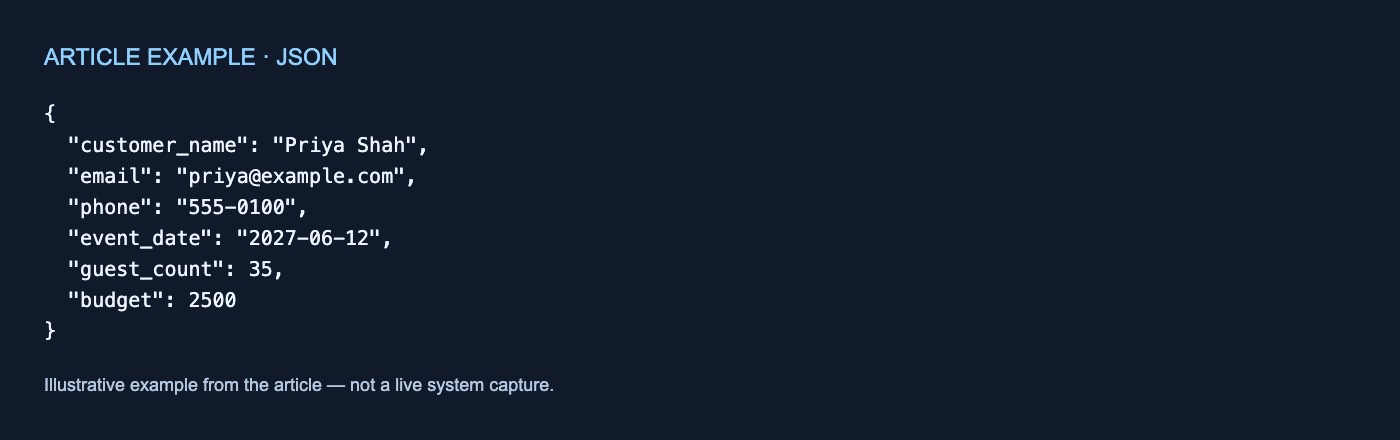
A developer might enter the following object under Generate From JSON Example.
Example JSON (hypothetical and untested):
{
  "customer_name": "Priya Shah",
  "email": "[email protected]",
  "phone": "555-0100",
  "event_date": "2027-06-12",
  "guest_count": 35,
  "budget": 2500
}
For both the Information Extractor and Structured Output Parser, n8n documents the same generation behavior: the node uses property names and types, ignores the actual values, and makes every generated field mandatory (Information Extractor; Structured Output Parser).
The example therefore specifies:
customer_name,email,phone, andevent_dateas stringsguest_countandbudgetas numbers- Every listed property as mandatory
It does not require the name “Priya Shah,” establish the displayed date format as a rule, or define what budget means. The sample values are ignored during schema generation.
The customer request also contains no phone number or budget, yet the generated schema makes both mandatory. The documentation supplied here does not specify what happens at runtime when a mandatory field is absent, including whether a value is omitted, represented another way, or produces an error. Those outcomes should not be assumed.
Planning worksheet, part 3: Define the intended contract
The Information Extractor offers three ways to describe the desired output (n8n Information Extractor documentation):
- From Attribute Descriptions: define attributes and describe them.
- Generate From JSON Example: derive property names and types, with every generated field mandatory.
- Define using JSON Schema: enter a schema manually.
The business decision is whether automatically generated mandatory fields match legitimate customer requests. If customers may omit some details, the example object alone does not express that optionality.
For each field, document:
- What the field means
- Whether a legitimate request may omit it
- Which type downstream steps expect
- Whether its name permits conflicting interpretations
- How downstream steps should handle missing information
- How extracted values will be checked against the original request
For example, event_date might mean a confirmed booking date, a preferred date, or any date mentioned in the message. A property name and string type do not resolve that ambiguity.
| Schema mode | What it captures | Potential fit | Still needs a decision |
|---|---|---|---|
| Attribute descriptions | Attributes and plain-language descriptions | Field meaning needs explanation | Optionality and downstream handling |
| JSON example | Names and types; all fields mandatory | Every listed field belongs in every output | Meaning, value rules, and absent information |
| Manual JSON Schema | A deliberately entered structure | Requirements need explicit structural control | Business definitions and factual review |
When planning the surrounding process, the RodyTech AI consulting page and technology services overview provide additional navigation. They are not evidence for n8n’s technical behavior.
Parser boundaries and configuration caveats
The Structured Output Parser returns fields based on a JSON Schema and accepts either an example-generated or manually entered schema (n8n Structured Output Parser documentation).
That concerns output structure and validation. The documentation does not establish that the parser verifies whether a name, date, or budget is factually faithful to the customer’s message. Structural validation is not evidence of factual correctness.
Two documented caveats may affect configuration:
- The Structured Output Parser does not support JSON Schema references using
$ref(n8n Structured Output Parser documentation). - In sub-nodes, an expression resolves against the first input item rather than separately for every item. For example,
{{ $json.name }}resolves to the first name when several input items are present. This applies to expression resolution; it does not mean all parser processing is limited to one item (n8n Structured Output Parser documentation).
Commissioning checklist
Before approving the workflow, record:
- Request channels and file formats
- The binary input field, if applicable
- The upstream field containing suitable text
- Required property names and types
- Fields that may legitimately be absent
- A plain-language definition for every field
- The selected schema mode
- Any use of unsupported
$refreferences - Whether first-item expression behavior is relevant
- A separate process for checking values against the original request
An example JSON object is a convenient shortcut for generating names and types. It is not a complete specification of field meaning, optionality, missing-information policy, or factual correctness.
If useful, talk through your workflow.



No comments yet