


In this article
When an automation starts a Home Assistant script, three questions determine the call flow:
- Which values enter the script?
- Does the caller wait for the script to finish?
- Can the script return data?
The central distinction is between invoking the script directly and using Turn on script (script.turn_on). A direct invocation waits and can receive a response. script.turn_on starts the script in the background, lets the caller continue immediately, and returns no response (Scripts).
The call flow
A direct invocation follows this path:
Calling automation or script
        |
        | explicitly passed values
        v
Called script variables
        |
        | actions run sequentially
        v
Optional Stop block returns key-value data
        |
        | caller waits
        v
Caller's response variable
A background invocation follows a different path:
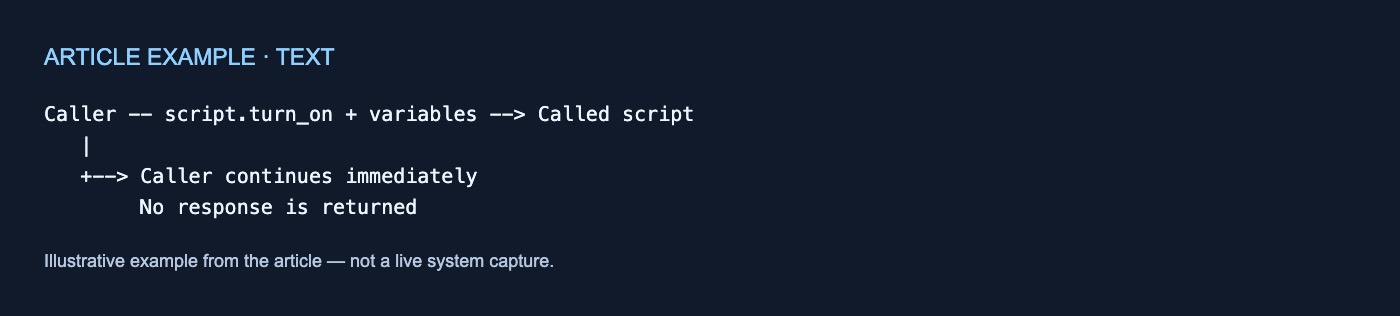
Caller -- script.turn_on + variables --> Called script
   |
   +--> Caller continues immediately
        No response is returned
Within an automation or script, actions run one after another from top to bottom by default. Running actions concurrently requires an explicit parallel building block (Automation actions). That sequential ordering does not mean every way of starting another script waits for it.
Fields describe editor inputs
Adding fields to a script creates named inputs in the visual editor. Each field has a field key, which becomes the variable name used by templates inside the script (Scripts).
For example, a script can define a minutes field and reference it in a template:
{{ minutes }}
A selector determines the kind of editor control shown, such as a number or entity selector. Fields make a reusable script easier to configure, but they should not be treated as runtime validation.
Two field settings are limited to the editor:
- Required marks the field as required in the UI, but Home Assistant does not check it when the script runs.
- Default supplies the value shown in the UI, but Home Assistant does not apply it automatically at runtime.
These behaviors are documented by the Scripts integration. If YAML starts a script without supplying a field value, the corresponding variable is undefined (Scripts).
If the script needs a runtime fallback, put that fallback in the template:
- delay:
    minutes: "{{ minutes | default(5) }}"
This template fallback is distinct from the field’s editor Default.
Fields are not required for every variable. When YAML invokes a script directly, every value under the action’s data becomes a script variable, even if the script has no matching field declaration (Scripts integration).
In short, fields describe the editor-facing interface; passed data supplies runtime values.
Values do not cross the boundary automatically
A called script does not automatically receive the calling automation’s variables or trigger data. The caller must explicitly pass every value the script needs (Scripts).
A direct call can pass minutes like this:
actions:
  - action: script.wake_up
    data:
      minutes: 10
Because this invokes the script itself, minutes becomes available inside the script as a variable.
The supplied documentation establishes this explicit-passing boundary. It does not establish broader variable-inheritance or persistence behavior.
Direct invocation makes the caller wait
A direct call uses the script entity as the action:
actions:
  - action: script.wake_up
    data:
      minutes: 10
The calling automation or script waits until the called script finishes (Scripts). Because the called script’s actions run sequentially, its actions—including delays—run before the caller proceeds.
There is also a documented error consequence: if an error stops the directly invoked script, the calling automation or script stops too (Scripts).
The documentation cited here does not define every cancellation, reload, overlapping-call, or error-propagation case.
script.turn_on runs the script in the background
The Turn on script action uses script.turn_on:
actions:
  - action: script.turn_on
    target:
      entity_id: script.wake_up
    data:
      variables:
        minutes: 10
For this invocation method, YAML inputs belong under data.variables (Scripts integration).
Its control flow differs from a direct call:
- The caller does not wait.
- The caller continues after the script has been started.
- The call returns no response.
- Errors in the background script do not affect the caller.
These behaviors are documented for Turn on script (Scripts). An action after script.turn_on therefore runs after the script starts, not necessarily after its sequence finishes.
Returning data from a direct call
Home Assistant documents this response path:
- The script creates a variable containing keys and values.
- A Stop building block names that variable as the response.
- The caller invokes the script directly.
- The caller assigns a Response variable name.
- Later caller actions use the stored response in templates.
The returned variable must contain keys and values (Scripts).
In YAML, the caller stores returned data with response_variable:
actions:
  - action: script.prepare_morning
    response_variable: morning_result
Later actions in the caller can reference morning_result. This follows Home Assistant’s general response model: actions that return data expose Response variable in the editor and use response_variable in YAML (Automation actions).
This response path requires direct invocation. script.turn_on does not return a response.
Quick reference
| Element or behavior | Meaning |
|---|---|
| Field | Defines an editor-visible input |
| Field key | Variable name used in script templates |
| Required | UI marker, not a runtime check |
| Default | Initial UI value, not an automatic runtime value |
| Omitted YAML field value | Corresponding variable is undefined |
| Template fallback | Supplies a runtime fallback such as default(5) |
| Direct-call inputs | Values under data |
| Undeclared direct-call value | Still becomes a script variable |
script.turn_on inputs |
Values under data.variables |
| Caller variables and trigger data | Not passed automatically |
| Direct invocation | Caller waits and can capture a response |
script.turn_on |
Caller continues immediately; no response |
| Script response | Key-value variable returned through Stop |
| Caller response variable | Stores returned data for later steps |
The practical rule is straightforward: explicitly pass every value the script needs. Invoke the script directly when the caller must wait or receive data. Use script.turn_on when the caller should continue without waiting and does not need a response.



No comments yet